
Unofficial desktop client for Proxmox VE
A fast, native desktop client for Proxmox VE — monitor clusters and hosts, manage virtual machines and containers, browse Proxmox Backup Server backups. Everything in one window, no browser needed.
NEW Latest release: v3.0.1 (October 9, 2026)
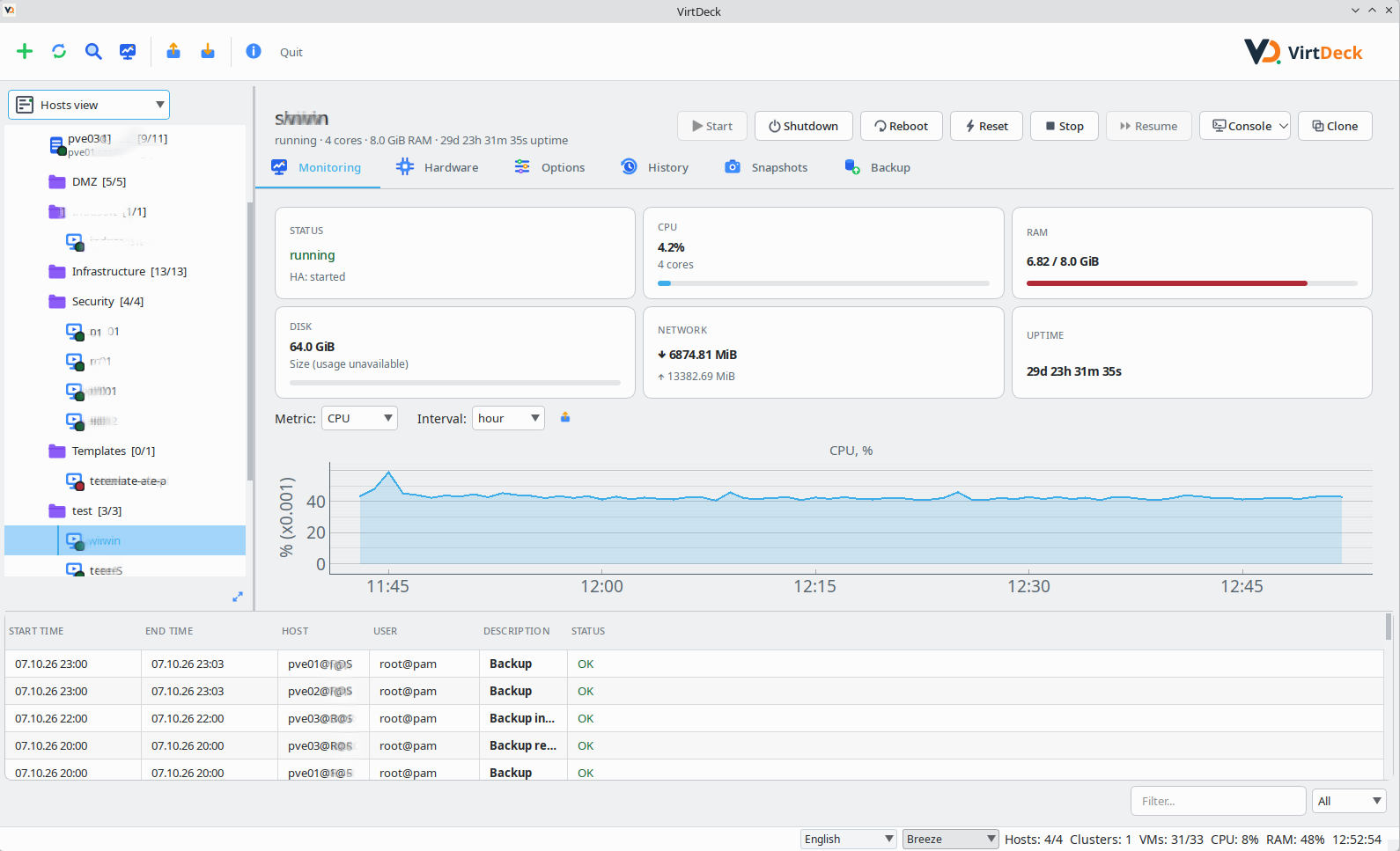
Highlights
 Fleet Health (multi-cluster)
 Full VM/CT lifecycle
 PBS integration
 Command palette (Ctrl+K)
 Built-in noVNC console + SPICE
 Themes
 Security by default
Download
All downloads are on the GitHub Releases page; checksums are in checksums.txt.
| Platform | Format | Link |
|---|---|---|
| Windows — portable .zip or .exe installer | .zip / .exe | GitHub Releases |
| Debian / Ubuntu — .deb package | .deb | GitHub Releases |
| Fedora / RHEL — .rpm package | .rpm | GitHub Releases |
| Any OS — sources .tar.gz / .whl | .tar.gz / .whl | GitHub Releases |
Package repository (Debian / Ubuntu / Fedora) — recommended
repo.mclure.ru hosts VirtDeck plus the packages the distro archives lack: full PySide6 (incl. WebEngine for the built-in console) and proxmoxer on Fedora. No pip steps needed.
Debian 12 (bookworm) / 13 (trixie) / Ubuntu 24.04 (noble)
sudo install -d /etc/apt/keyrings
curl -fsSL https://repo.mclure.ru/KEY.gpg | sudo gpg --dearmor -o /etc/apt/keyrings/virtdeck.gpg
echo "deb [signed-by=/etc/apt/keyrings/virtdeck.gpg] https://repo.mclure.ru/apt bookworm main" \
  | sudo tee /etc/apt/sources.list.d/virtdeck.list
sudo apt update
sudo apt install virtdeck
(Ubuntu 24.04 — replace bookworm with noble; Debian 13 — with trixie.)
Fedora 41
sudo tee /etc/yum.repos.d/virtdeck.repo <<'EOF'
[virtdeck]
name=VirtDeck
baseurl=https://repo.mclure.ru/rpm/fedora/41
enabled=1
gpgcheck=1
repo_gpgcheck=1
gpgkey=https://repo.mclure.ru/KEY.gpg
EOF
sudo dnf install virtdeck
From source
Download virtdeck-3.0.1.tar.gz (or .whl) from Releases, install the dependencies, then run:
pip install PySide6 proxmoxer requests urllib3 pyqtgraph cryptography keyring
virtdeck
Requirements
- Python 3.10+ (for source install only)
- PySide6 (full package, incl. WebEngine — for the built-in noVNC console)
- proxmoxer — PVE API client
- requests / urllib3, pyqtgraph — charts
- keyring — system keyring (KWallet / GNOME Keyring / Windows Credential Manager)
- cryptography — encrypted config export/import
- websockets — optional on Linux (built-in noVNC console); on Windows it is bundled
- Proxmox VE host reachable on port 8006; PBS on port 8007 — for PBS integration; virt-viewer — for the SPICE console
First run
- Launch the application.
- Click [+] in the tree panel toolbar.
- Enter the host address, user (e.g. root@pam) and password.
- The API token is created automatically and stored in the system keyring. For a cluster, adding a single node is enough — the rest are discovered via /cluster/resources.